
 n8n
n8n Claude Code
 Kilo Code
 OpenClaw
 Hermes Agent
Integration: Kilo Code with Lunos
This guide shows how to connect Kilo Code to Lunos using an OpenAI-compatible Custom Provider so you can use Lunos model IDs inside your coding workflows.
Prerequisites
- Kilo Code installed
- Lunos API key
- Lunos base URL (default:
https://api.lunos.tech/v1)
Setup
Follow the steps below in order.
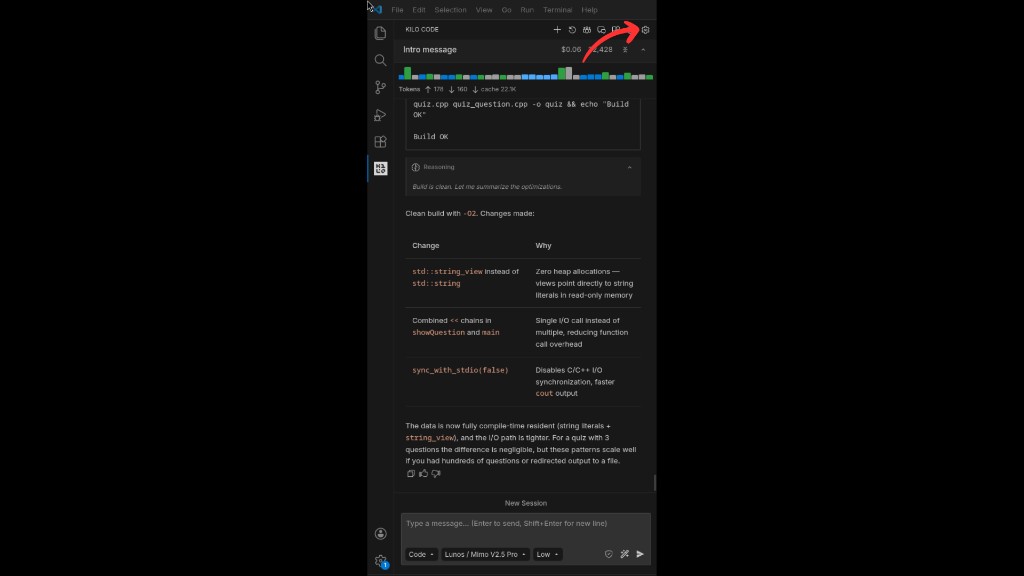
1) Open settings
Open Kilo Code and click the settings button.
2) Open Providers and connect a Custom provider
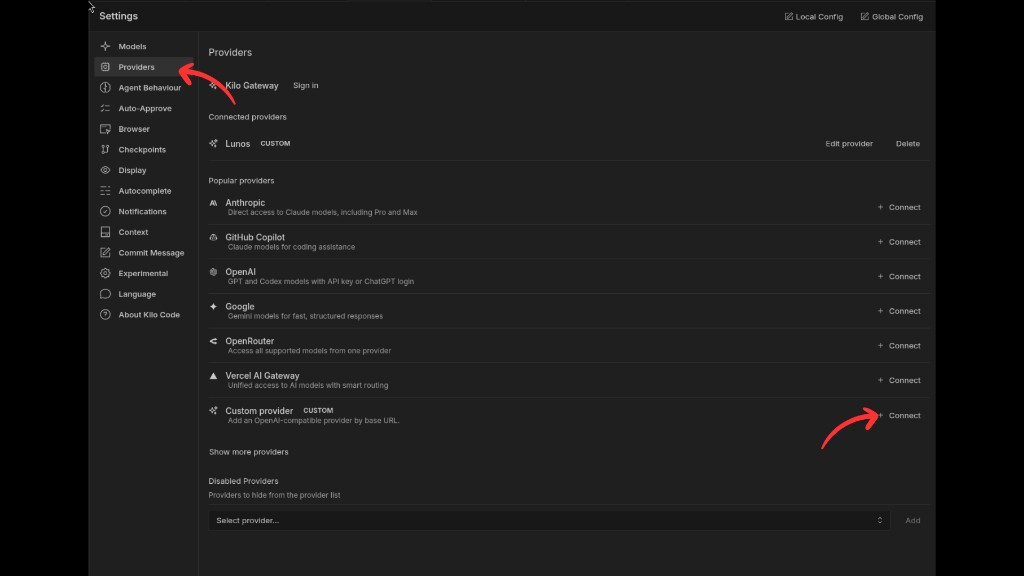
In the settings sidebar, open Providers. Under Popular providers, find Custom provider (OpenAI-compatible) and click Connect to start the provider wizard.
3) Fill provider details
In Edit provider, set:
- Provider ID:
lunos-0(any unique id is fine) - Display name:
Lunos - Base URL:
https://api.lunos.tech/v1 - API key: your Lunos API key
Continue to the next screen when you are ready to choose models.
4) Choose models, headers, and finish
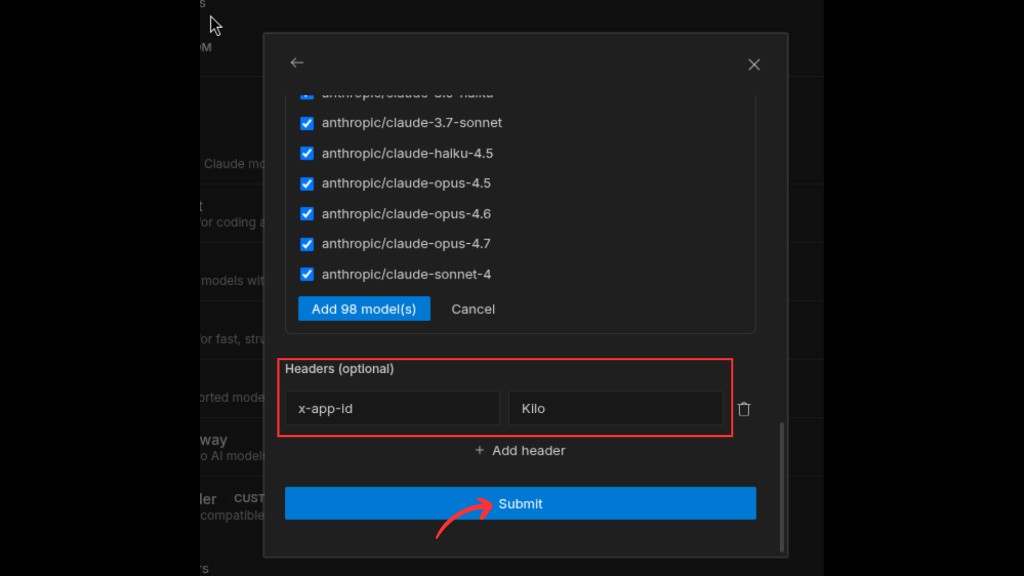
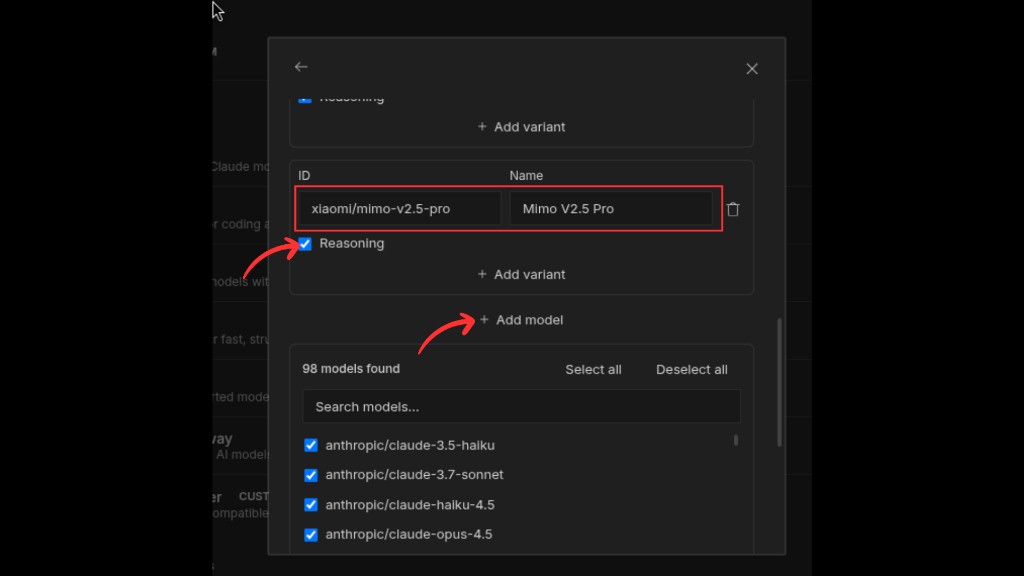
On the model list screen, select which Lunos models you want available in Kilo Code (you can use Select all / Deselect all or pick individually). If you need to identify the client to Lunos, open Headers (optional) and add:
- Key:
x-app-id - Value:
Kilo
Review your selection, then click Submit to save the provider.
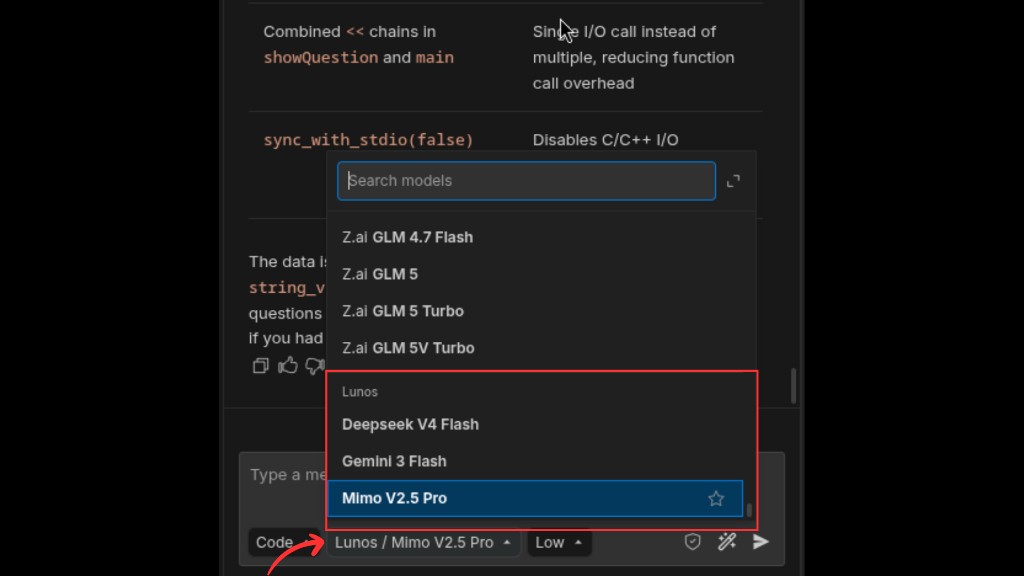
5) Select Lunos in the model picker
Open the model picker in chat, choose Lunos, then select a model.
Notes
- Model capabilities vary. Tool calling, vision, and other features depend on the selected model.
- Keep the trailing
/v1in the base URL for OpenAI-compatible routing.
Troubleshooting
Auth errors (401/403)
- Verify the API key is correct and active.
- If your environment requires headers (for example
x-app-id), ensure the header name and value match exactly.
Provider connects but requests fail
- Confirm the base URL is reachable from your network.
- Confirm the base URL uses
/v1.
Model not found
- Pick a model ID that exists in your Lunos dashboard model list.
- If a model was deprecated, switch to an active replacement.
Security
- Never commit API keys into repositories.
- Prefer separate keys per environment (dev/staging/prod).
On this page
No headings found on this page.