Your AI coding agents are multiplying. Your API surface shouldn't.
AI coding tools are now mainstream in real teams. This article summarizes current adoption signals, explains why multi-tool stacks create key and routing sprawl, and shows practical integration patterns through Lunos.
If you are shipping software in 2026, odds are your team already leans on AI for coding. That part is not controversial anymore. The awkward part is what happens next: Copilot in one repo, Claude Code in another, a VS Code agent workflow on the side, and everyone pointing at slightly different base URLs and keys. You get speed for individuals and a quiet tax on anyone who has to answer “what are we spending, who leaked this key, and why does it work on your laptop only?”
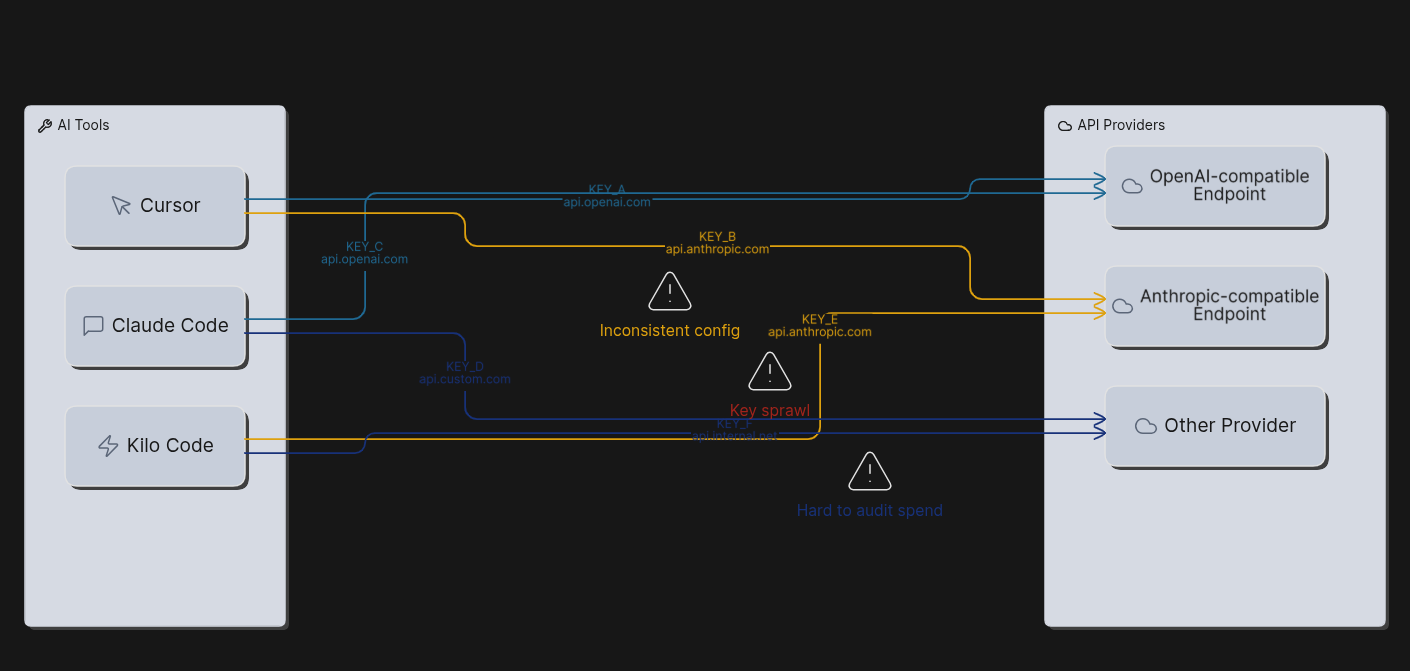
JetBrains ran the second wave of its AI Pulse survey in January 2026 (more than ten thousand professional developers worldwide), and the numbers tell that story in plain terms. 90% said they regularly use at least one AI tool at work for coding and development tasks. 74% had adopted specialized tools (assistants, editors, agents), not just a general-purpose chatbot. Usage is also split across products: the same write-up puts 29% on GitHub Copilot at work and 18% on Claude Code at work, with Claude Code growing fast compared with earlier waves. JetBrains describes the market moving toward best-of-breed agents, where teams pick the tool that fits the job instead of living inside one vendor’s bundle. That is good for quality and bad for consistency unless you decide how all of those tools reach models. The full breakdown is worth reading directly: Which AI coding tools do developers actually use at work? (JetBrains Research, April 2, 2026).
Microsoft’s VS Code team makes a related point from the product side. Agents are taking on longer-running work; the editor is adding compaction, mid-response steering, hooks, and other controls so agent-driven edits do not wander off your standards. That is the same instinct you want at the API layer: one place to steer policy, rotate credentials, and inspect failures when something breaks at two in the morning. See Making agents practical for real-world development (March 5, 2026).
None of that replaces code review. It just says the bottleneck is often plumbing and governance, not only which model scores highest on a leaderboard.
What Lunos is doing in that gap
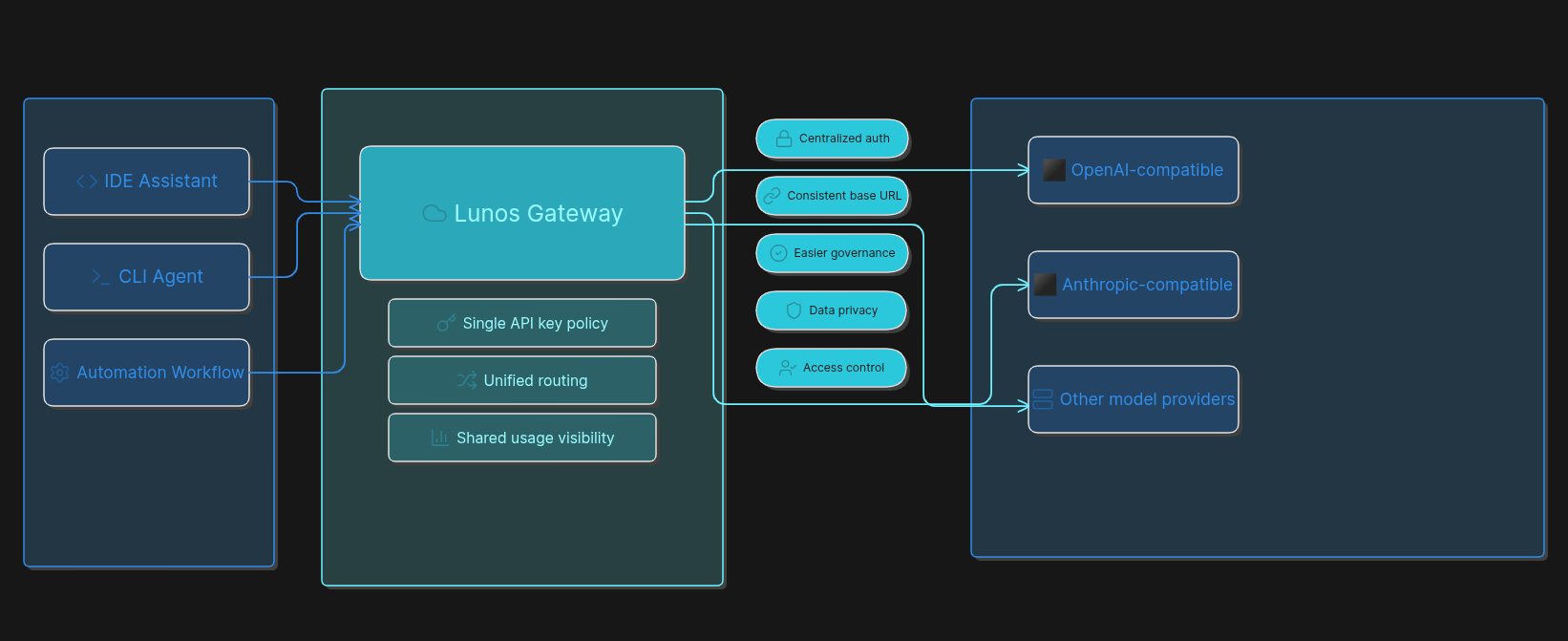
Lunos is an AI gateway. It speaks the protocols your tools already use: OpenAI-compatible HTTP for chat, embeddings, and the usual /v1/... shapes, plus Anthropic-compatible routes for clients that expect that API. You keep the request format your IDE or CLI was built for; you centralize the key and the usage story. The detailed steps live in the docs. This post is the “why” and the minimum “how” so you know what you are signing up for.
If you want macro context, analyst coverage of 2026 still points to enormous global AI-related spend; treat any trillion-dollar headline as a forecast, not a promise. One readable summary of Gartner’s figures is this Computerworld piece.
The wiring you actually paste in
These are the boring lines that save arguments later. They are not a full security program, but they are the real shapes.
OpenAI-style clients (many IDE assistants, OpenAI SDKs, automation nodes that assume OpenAI’s HTTP API):
- Base URL:
https://api.lunos.tech/v1(keep the trailing/v1if the client expects it). - Header:
Authorization: Bearer YOUR_LUNOS_API_KEY.
Bearer tokens in HTTP are defined in RFC 6750. OpenAI documents the same header style for API keys in its API reference. Double-check against whatever vendor your client targets.
Anthropic-style clients (for example Claude Code with Lunos):
ANTHROPIC_BASE_URL=https://api.lunos.techANTHROPIC_API_KEY= your Lunos API key
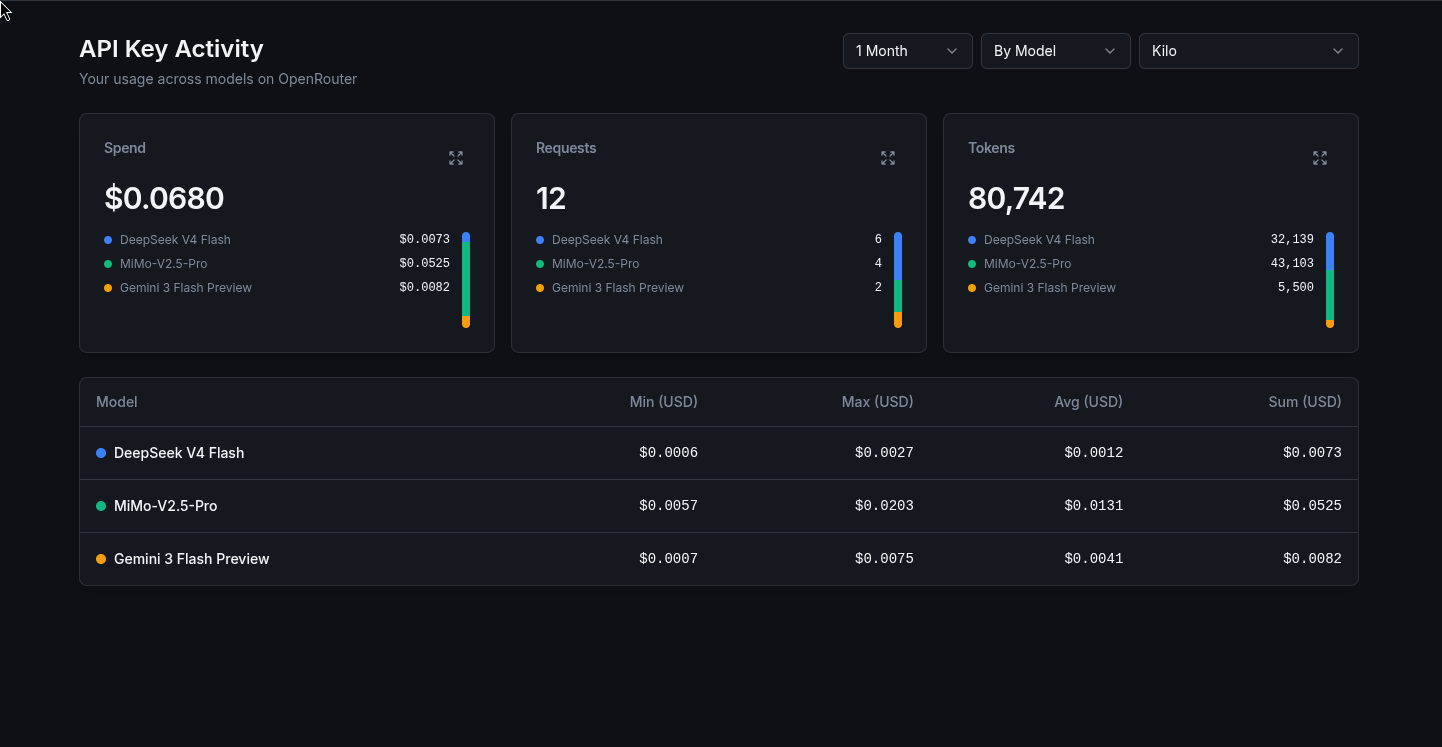
Optional: send X-App-ID so usage splits cleanly in the dashboard; see the documentation home.
If your agent depends on tool or function calling, confirm the model supports it: Tool and function calling. For a stubborn bad run, turn on Observability for that request so you get structured detail in query history without logging everything by default.
OWASP’s API Security Top 10 still puts broken authentication front and center for APIs; sloppy key handling is squarely in that bucket (API2:2023). Environment variables and secret managers are table stakes. Committing keys is not.
One switchboard, not five corporate cards
JetBrains is not shy about the direction: multiple agents from different vendors, bring-your-own-key patterns, and a need for something that behaves like a control plane rather than a pile of integrations. Their Central announcement is written around that idea. You do not have to buy their stack to recognize the pattern: every new agent is another pipe into the same budget and risk pool if the last mile to the provider is ad hoc.
So the mental model is simple. Per-laptop provider keys are like handing out corporate cards with no shared statement. A gateway is the switchboard: same path for the IDE, the CLI, and automation, one rotation story when someone leaves, one place to read usage when finance asks questions.
If you only do four things
- Create or rotate a key under API Keys.
- Open Integrations and use the guide that matches your tool (Claude Code, Kilo Code, or n8n if automation sits next to coding).
- For custom code, start from Quickstart and API overview.
- Write model IDs and env var names into your team readme so the next hire copies something that already works.
The survey trend is toward more strong agents, not fewer. Getting the integration layer right early is how you keep that trend from turning into chaos.
Sources
- JetBrains Research, Which AI coding tools do developers actually use at work?, April 2, 2026.
- JetBrains, Introducing JetBrains Central, March 24, 2026.
- VS Code Team, Making agents practical for real-world development, March 5, 2026.
- OWASP, API2:2023 Broken Authentication.
- IETF, RFC 6750.
- OpenAI, API reference.
- Computerworld, Gartner: Global AI spending to reach $2.5 trillion in 2026.